
TL;DR:
- Effective signage in sports venues involves a strategic mix of physical and digital types that support navigation, safety, branding, and crowd flow. Integrating these signs into a cohesive hierarchy enhances visitor experience and avoids confusion, while early planning ensures compliance and cost-effectiveness. Tailoring signage choices to specific environment, visibility, and operational needs maximizes their impact and longevity.
Many facility managers find themselves overwhelmed when trying to create a coherent signage strategy. The types of sports facility signage available today span everything from basic directional arrows to large-scale LED video walls, and choosing the wrong combination leads to confused visitors, missed branding opportunities, and potential safety risks. Proper signage utilisation reduces confusion and measurably improves visitor experience, yet many venues still treat it as an afterthought. This guide breaks down each category of sports venue signage, explains where each type fits, and gives you the practical knowledge to make informed decisions.
Table of Contents
- Key takeaways
- Types of sports facility signage: the four physical categories
- Digital signage options for sports venues
- Integrated signage systems and experiential graphics
- Choosing and implementing the right signage types
- Our perspective on sports venue signage
- Work with Pikpikpow on your venue signage
- FAQ
Key takeaways
| Point | Details |
|---|---|
| Physical signage covers four core types | Wayfinding, safety, branding, and crowd management signs each serve a distinct operational purpose. |
| Digital signage must be purpose-driven | Choose technology based on environment and function, not novelty, to get real value from your investment. |
| Integration beats isolation | A unified signage hierarchy from entrance to seating delivers better navigation and stronger brand impact. |
| Compliance is non-negotiable | ADA-compliant tactile signs, multilingual displays, and accessible formatting are legal and ethical requirements. |
| Plan signage early in any build or renovation | Signage hierarchies designed from the outset reduce costly retrofits and navigation failures later. |
Types of sports facility signage: the four physical categories
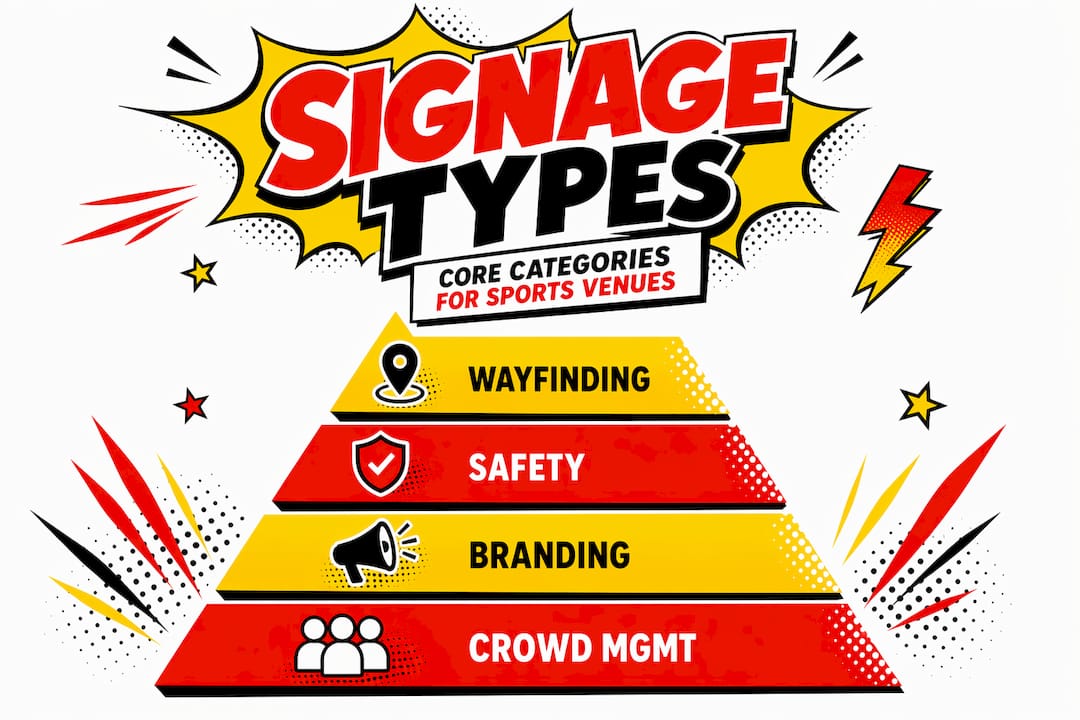
In the industry, physical sports venue signage is generally organised into four functional categories: wayfinding, safety, branding, and crowd management. Each plays a different role, and each requires different design and placement thinking.
Wayfinding signage
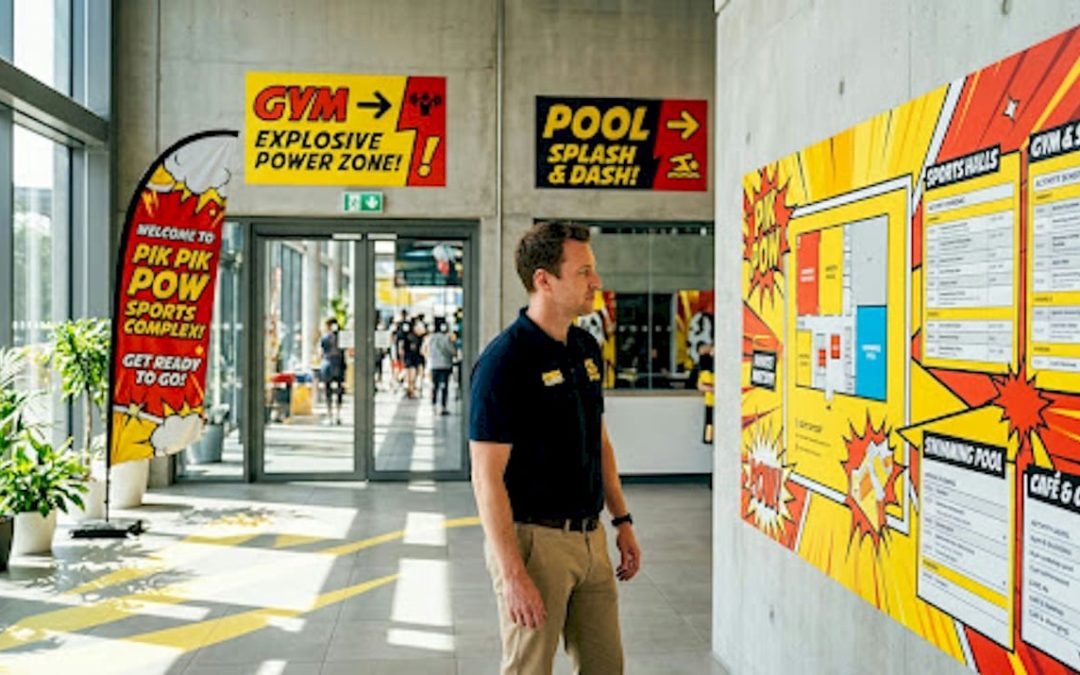
Wayfinding covers all signs that help visitors move through your facility with confidence. This includes directional signs (arrows pointing to entrances, exits, and concourses), overhead section markers, gate and seat locators, and facility maps. Tactile signs with Braille fall into this category too, and they are not optional. ADA-compliant tactile signs with Braille and multilingual directional signage using universal symbols are a baseline requirement for any accessible venue.
The placement rule most facilities get wrong is straightforward. Wayfinding signs work best when positioned before decision points, not at them. If a visitor reaches a fork and sees the sign only after they have already committed to a direction, the sign has failed.
Safety signage
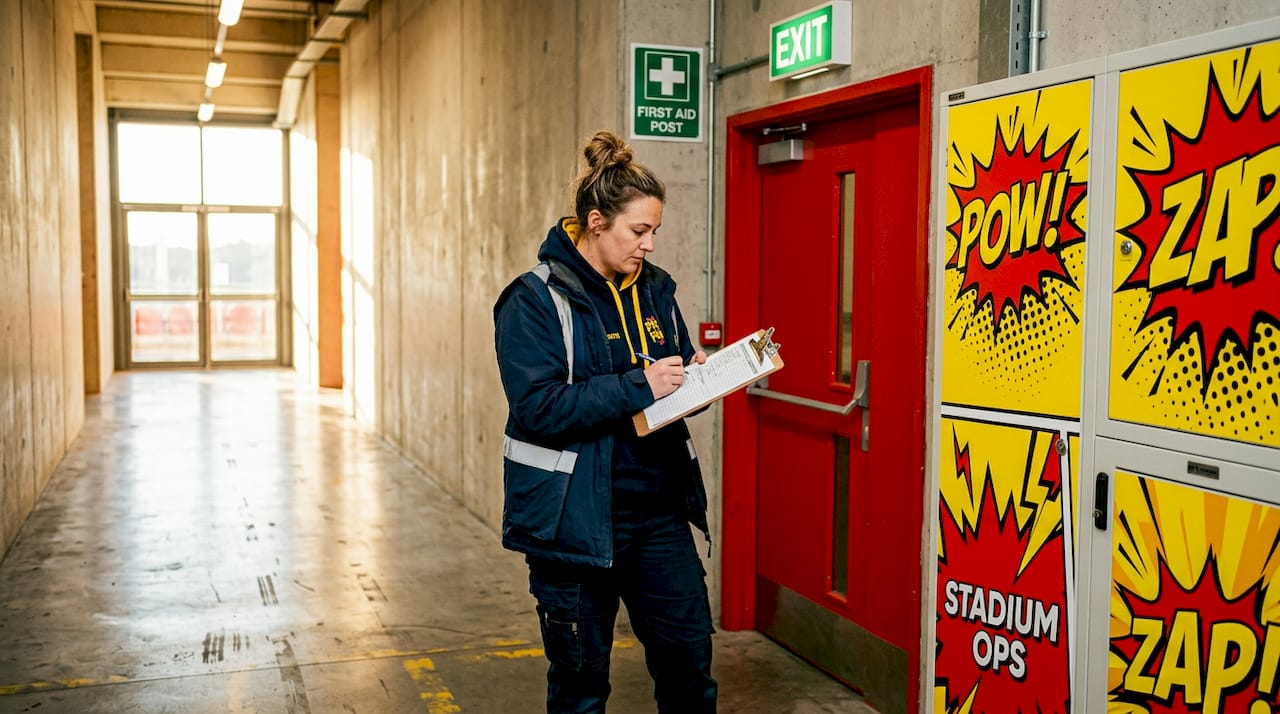
Safety signage includes emergency exit markers, restricted area notices, first aid location signs, fire assembly point directions, and policy reminders such as no-smoking or no-entry warnings. These signs must meet British Standards and, where relevant, comply with the Health and Safety (Safety Signs and Signals) Regulations 1996. Colour coding matters here. Green for safe conditions and evacuation routes, red for prohibition, yellow for caution.
Branding signage
This is where your venue communicates its identity. Branding signage includes perimeter boards and dasher boards, large-scale wall murals, sponsor banners, mesh barriers with printed graphics, entrance feature signs, and concourse graphics. Done well, it builds emotional connection with fans. Done poorly, it competes with wayfinding and creates visual noise.
Crowd management and queue signage
Clear queue entrance signage communicating purpose and policies prevents clustering at entry points. Think tall post-mounted signs identifying VIP lanes, bag check points, and ticket scanning gates, each with its own defined footprint. This type of athletic signage is often underinvested, yet it directly affects how smoothly crowds move through your venue on event day.
Pro Tip: Place crowd management signs at least 10 to 15 metres before the queue entry point. Visitors need time to read, process, and redirect before they reach the bottleneck.
Digital signage options for sports venues
The industry term covering screen-based display technology in venues is digital signage, and it varies considerably by environment, interactivity, and configuration. Understanding these distinctions helps you select technology that actually serves your facility rather than simply adding screens for their own sake.
Indoor vs outdoor digital configurations
Indoor digital signage for sports venues typically includes standalone screens in concourses, kiosk-style interactive units, video walls behind bars or in hospitality suites, and digital menu boards at catering points. These operate in controlled lighting conditions, which allows for lower brightness specifications and a wider choice of display technologies.
Outdoor digital signage faces direct sunlight, rain, and temperature extremes. Screens need higher brightness ratings (typically 2,500 nits or above), weatherproof enclosures, and anti-glare treatment. Exterior LED ribbon boards around the perimeter of a pitch or court are a common outdoor sports signage example, offering high visibility across the full width of the venue.
Large-scale LED installations
Stadium-scale LED installations demonstrate what is possible at the higher end of the spectrum. The University of North Carolina installed 11 LED displays totalling over 10,000 sq ft with high pixel density for fan engagement, including two main video displays measuring 31.5 ft by 106.5 ft with 8mm pixel spacing and multiple ribbon boards. That scale of installation is not typical for most facilities, but it illustrates how large-format digital signage transforms spectator experience.
For smaller facilities, a single high-resolution video wall in a main concourse or entrance area can deliver comparable impact relative to the venue size.
Interactive vs passive displays
Passive displays push content to visitors without requiring input. They work well for wayfinding maps, advertising loops, match-day schedules, and real-time score updates. Interactive kiosks, by contrast, allow visitors to search for facilities, buy food, or access ticketing. Purpose-driven digital signage selection means choosing interactive where visitor input adds genuine value, and passive where clear, consistent messaging is the goal.
- Video walls: high-impact, multi-screen arrays suited to main concourses, club lounges, and entrance halls
- Ribbon boards: horizontal LED strips running along the perimeter of a pitch or seating area, ideal for advertising and score information
- Digital menu boards: dynamic catering displays that can be updated instantly for pricing or product changes
- Interactive kiosks: touchscreen units for self-service wayfinding, ticketing, and information
- Outdoor scoreboards: large-format displays engineered for all-weather performance
Integrated signage systems and experiential graphics
The most effective facilities do not treat physical and digital signage as separate workstreams. They build layered signage systems that blend both into a coherent visitor experience, combining navigational clarity with emotional brand connection.
What integration actually means in practice
An integrated signage system works from a defined hierarchy. At the exterior, large-format branding and wayfinding orient visitors before they enter the building. In the concourse, a mix of overhead directional signs and digital screens guides movement. At the seat level, section markers and row indicators complete the journey. Every layer is consistent in typography, colour palette, and tone.
The 10,500-seat Centreville Bank Stadium uses a unified signage hierarchy from exterior to seating areas, incorporating experiential graphics throughout to strengthen both navigation and brand identity. That is a textbook example of how variety of facility signage works together rather than in isolation.
Experiential graphics as a placemaking tool
Experiential graphics go beyond wayfinding. They use large-format imagery, typography, and brand colour to make a space feel distinctive and owned by the club or organisation. A full-wall mural in a changing corridor, a printed floor graphic at the main entrance, or a branded tunnel leading to the pitch. These elements create moments that supporters remember and photograph.
| Signage type | Primary function | Best placement |
|---|---|---|
| Directional signs | Navigation | Concourse junctions, entry points |
| Safety signs | Compliance and protection | Emergency routes, restricted zones |
| Branding/murals | Identity and atmosphere | Entrances, tunnels, concourse walls |
| Digital screens | Information and advertising | Concourses, hospitality areas, pitchside |
| Queue management signs | Crowd flow | Entry gates, ticket scanning points |
| Interactive kiosks | Self-service navigation | Main concourses, transport hubs |
Pro Tip: When planning a renovation, map your signage hierarchy before selecting individual products. Deciding on placement and messaging logic first prevents you from buying signs that look right in isolation but create confusion in context.
Choosing and implementing the right signage types
Selecting the right indoor sports sign options or outdoor sports facility signage comes down to four practical considerations: compliance, visibility, materials, and maintenance.
Compliance
Any publicly accessible sports venue must account for accessibility legislation. This means tactile Braille signs on fixed room identification, high-contrast colour schemes for visitors with visual impairments, and multilingual or symbol-based directional signage for diverse audiences. Sponsor sign placement also requires audit to avoid obscuring safety or wayfinding information.
Visibility and placement
Signage that cannot be read from the correct distance is signage that has failed. Key factors affecting visibility include:
- Letter height: as a rule, for every 3 metres of viewing distance, letter height should increase by approximately 25mm
- Contrast ratio: dark text on a light background, or vice versa, with a minimum contrast ratio of 7:1 for accessibility compliance
- Lighting: signs in poorly lit areas need either backlighting or a supplementary light source; do not rely on ambient light alone
- Obstruction: check sight lines from typical visitor approach angles, not just straight-on
Materials and durability
Indoor sports sign options typically use aluminium composite, acrylic, or PVC foamboard for lightweight, printable panels. Outdoor sports facility signage needs materials that resist UV fading, moisture ingress, and physical impact. Dibond aluminium, powder-coated steel frames, and UV-laminated graphics are standard choices for exterior environments.
For temporary or event-specific signage, PVC banners, fabric displays, and modular panel systems offer the flexibility to update messaging between fixtures without replacing permanent infrastructure.
Maintenance and budget balance
Digital signage carries higher upfront costs but lower ongoing update costs compared with printed panels. Printed signage is cheaper to install but requires physical replacement when content changes. For most facilities, the answer is a combination. Use printed signage for fixed information such as seat numbers and emergency routes, and digital displays for content that changes regularly, such as schedules, advertising, and match-day information. You can explore indoor signage compliance and visibility considerations in more detail if you are planning a full internal signage audit.
Our perspective on sports venue signage
In my experience working with venues across retail, commercial interiors, and sport, the most common and costly mistake is treating signage as a procurement task rather than a design discipline.
Facilities often buy signs reactively. A complaint about navigation triggers a new directional sign, which clashes with the existing ones. An event sponsor demands a banner, which goes up without considering how it interacts with the wayfinding around it. Over time, you end up with a venue full of signs that individually make sense but collectively confuse people.
What I have found actually works is starting with a signage brief before specifying a single product. That brief should define the hierarchy (what information takes priority at each location), the brand standards (typography, colour, tone), and the compliance baseline (accessibility, safety regulations). Once that brief exists, every decision becomes easier and more consistent.
I also think the industry underestimates the value of queue and crowd management signage. It is unglamorous compared with a full-wall mural or a video wall installation, but a poorly managed entry experience on a busy match day shapes visitor perception more than any piece of branding in the concourse.
Digital signage is genuinely transformative when it is purpose-led. When it is not, it is just an expensive screen showing the wrong content in the wrong place. My honest advice is to ask “what problem does this screen solve?” before buying anything. If the answer is vague, reconsider.
— PikPikPOW!
Work with Pikpikpow on your venue signage
Pikpikpow works with sports facilities and venue operators across the UK to design and deliver signage systems that perform on every level, from clear wayfinding and internal signage to large-format branding and outdoor panels.
Whether you are equipping a new build, refreshing an ageing venue, or adding digital capability to your current setup, Pikpikpow combines design expertise with precision manufacturing to deliver results that look right and work hard. Our digital signage solutions cover everything from standalone concourse screens to fully networked multi-display systems. We also build out complete signage systems that bring physical and digital together under a single, coherent brief. Get in touch to discuss your facility’s requirements and we will help you build a signage strategy that works.
FAQ
What are the main types of sports facility signage?
The main categories are wayfinding signage, safety signage, branding and experiential graphics, crowd management signage, and digital signage. Each serves a distinct function and works best when planned as part of a unified system rather than independently.
What is wayfinding signage in a sports venue?
Wayfinding signage in a sports venue covers all directional signs, section markers, seat locators, tactile Braille signs, and facility maps that help visitors navigate from entry to their destination without confusion or delay.
Do sports facilities need ADA or accessibility-compliant signs?
Yes. UK venues must provide tactile signs with Braille for fixed room identification, high-contrast formatting, and multilingual or symbol-based directional signage to meet accessibility legislation and ensure inclusivity for all visitors.
When should a sports facility use digital signage instead of printed signs?
Digital signage is best for content that changes regularly, such as match schedules, advertising, real-time scores, and catering menus. Printed signage suits fixed information like emergency routes, seat numbers, and permanent room identification, where content rarely needs updating.
How early should signage be planned in a venue build or renovation?
Signage should be planned at the design stage, not after construction. Planning signage early allows you to integrate mounting points, cable routes for digital displays, and lighting requirements into the build, which avoids expensive retrofitting and produces a more coherent result.